
DigitalVerve Customer Login - Secure Admin-to-Customer Authentication


€9.99*
DigitalVerve Customer Login - Secure Admin-to-Customer Authentication for Shopware 6
The Customer Login plugin revolutionizes support workflows in Shopware 6 by providing a secure and efficient way for administrators to temporarily log in as customers. With this professional solution, support teams can directly experience customer issues from the customer's perspective without requiring passwords or creating security risks. The plugin uses a sophisticated token-based authentication system that ensures the highest security standards while offering maximum user-friendliness.
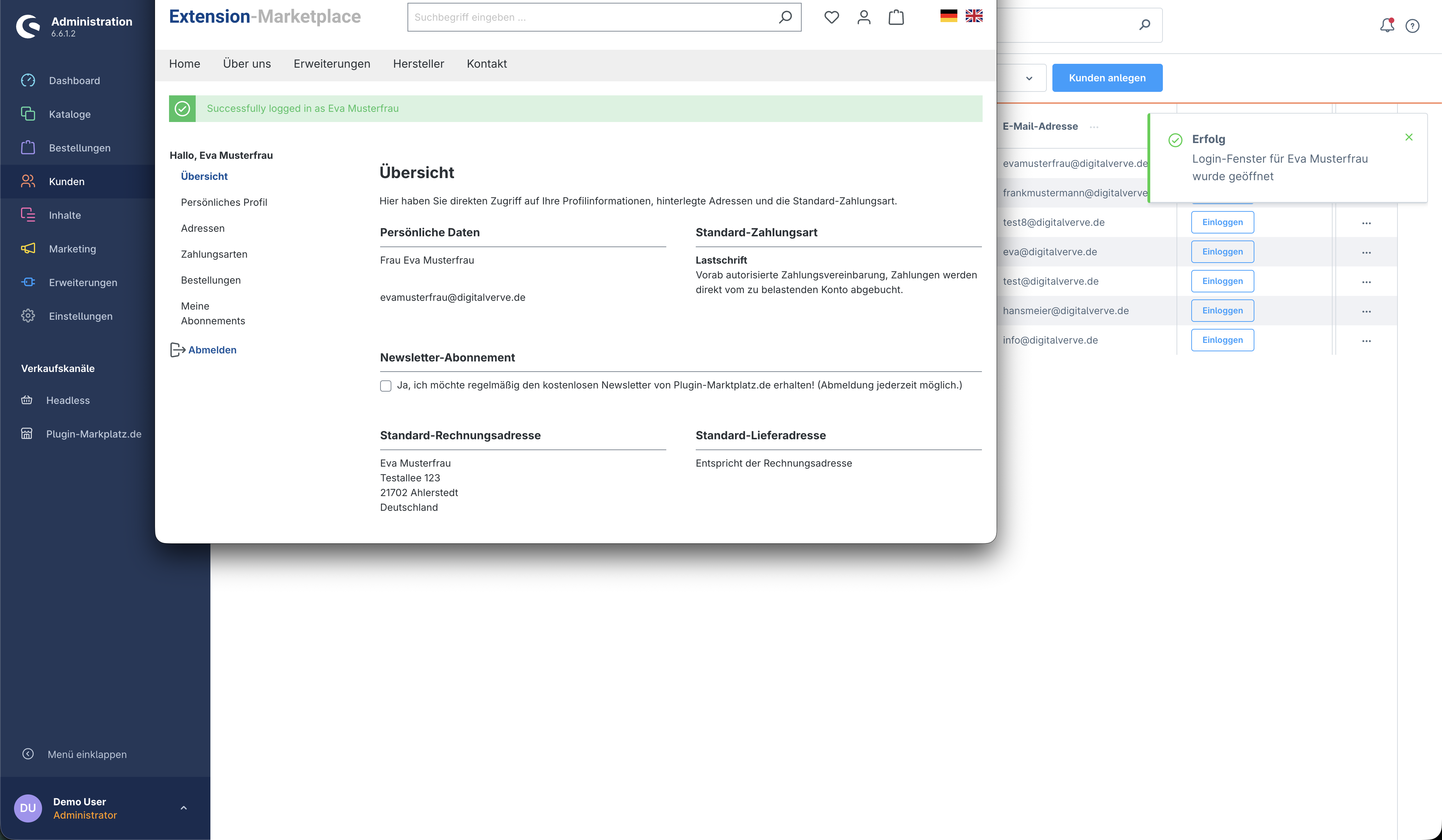
The seamless integration into the Shopware administration makes usage intuitive and efficient. In the customer overview, a new "Login as Customer" column appears with a clear login button for each active customer. Additionally, a dedicated "Admin Login as Customer" section is displayed on each customer detail page. With a single click, a new browser window opens with an active customer session, allowing administrators to immediately experience the storefront from the customer's perspective.
The highly secure token system forms the heart of the authentication. Each login process generates a cryptographically secure, one-time token with a configurable validity period (default 5 minutes). These tokens are temporarily stored in the file system and automatically deleted after use or expiration. Sales channel validation ensures that customers are only logged in within the correct shop context. This system completely eliminates the need for password sharing or insecure practices.
The Vue.js-based component architecture ensures clean and maintainable code structure. The plugin uses modern frontend technologies with clear separation of presentation and logic. The dv-customer-login-button component offers complete customization options through props like size, variant, and activation status. Integration with the Shopware notification system provides meaningful feedback for successful logins or potential errors.
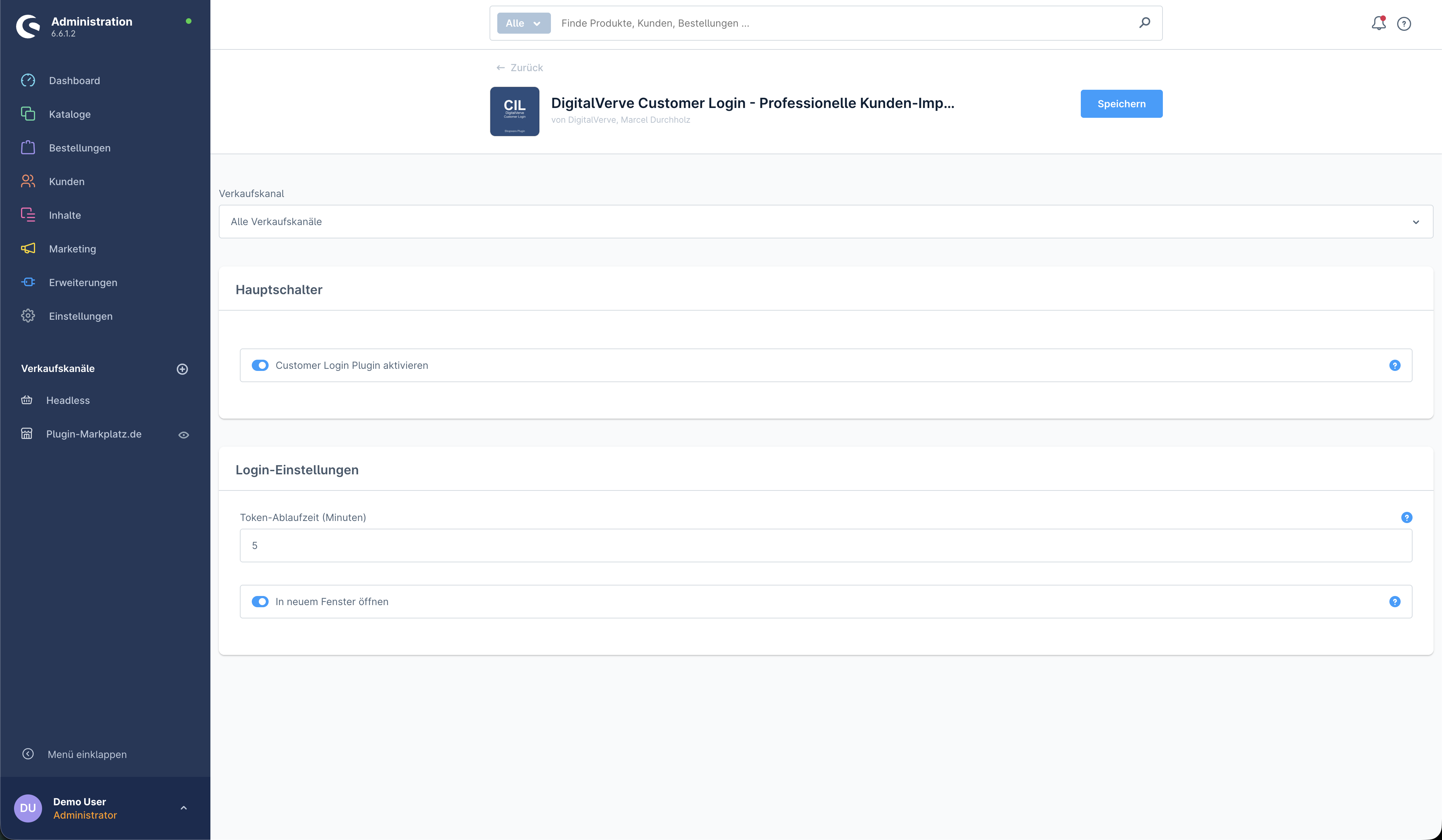
The comprehensive configuration allows you to perfectly adapt the plugin to your needs. Through the central configuration page, you can enable or disable functionality with a master switch. Token expiry time can be flexibly set between a few minutes and longer periods. Additionally, you can specify whether the customer session should open in a new window or the current tab. All settings take effect immediately without requiring a page reload.
The professional test framework with over 50 automated tests underscores the plugin's quality and reliability. The test suite includes frontend tests with Jest for components and services, PHP unit tests for controller logic, and end-to-end verifications. This comprehensive test coverage guarantees stable functionality even with Shopware updates or in complex shop environments.
The performance optimization ensures that the plugin has no negative impact on admin performance. Through lazy loading, components are only loaded when needed, API communication is reduced to essentials, and token management operates resource-efficiently through the file system. With minimal JavaScript footprint and efficient API calls, the administration remains responsive.
DigitalVerve Customer Login is the ideal solution for e-commerce agencies, support teams, and shop operators who value efficient customer support. The plugin reduces problem-solving time by up to 80% as support staff can immediately adopt the customer perspective. With its enterprise-grade security, thoughtful user guidance, and professional quality assurance, it sets new standards for admin tools in Shopware 6.
| Compatibility: | Shopware 6.4, Shopware 6.5, Shopware 6.6 |
|---|---|
| Status: | 5/5 - Released |